One click to extract repost users from a single post or batch multiple posts. Get profile details for every reposter.
Get started - it's free






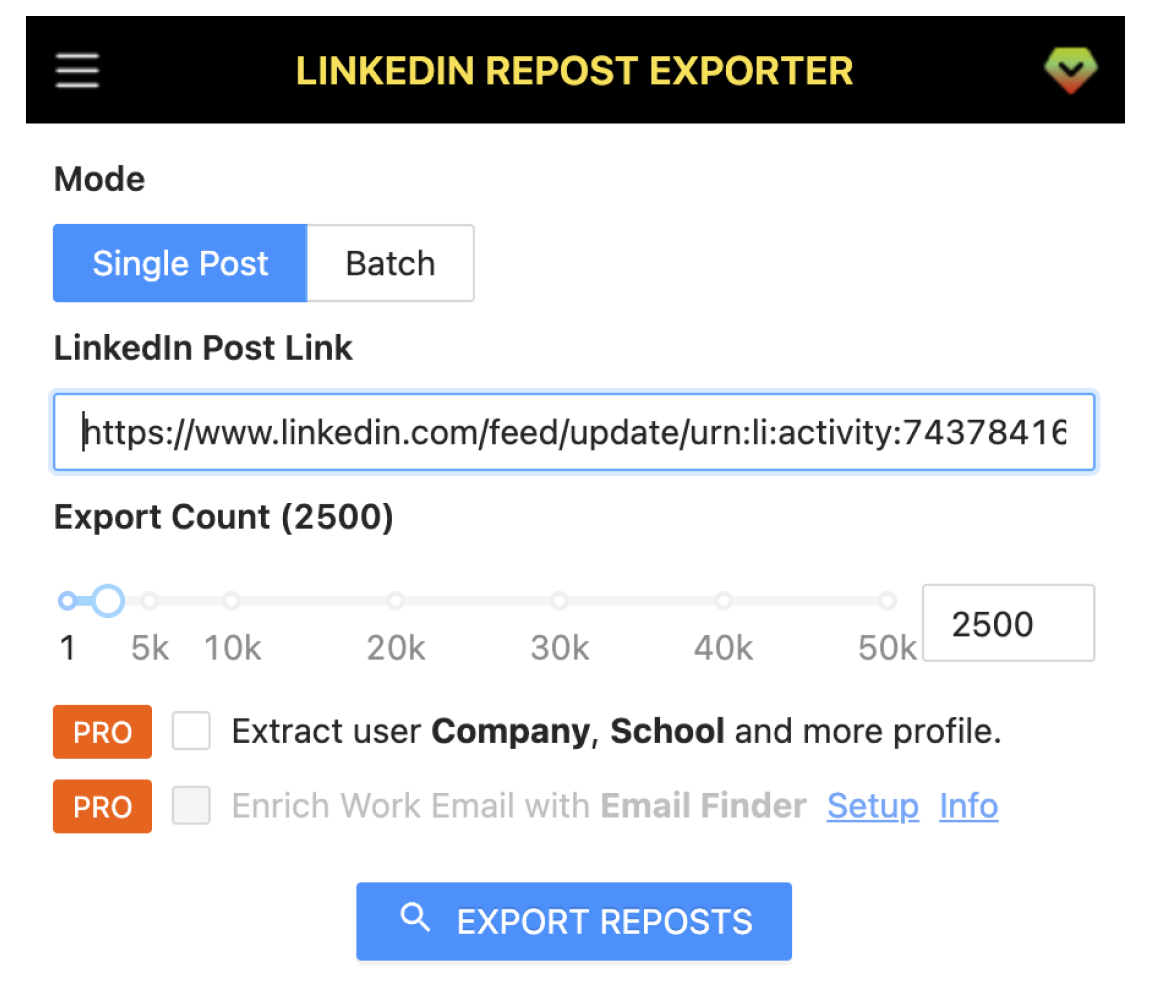
Export repost user data from single or batch LinkedIn posts by LinkedIn Repost Exporter.
Export repost users from one post, or batch multiple posts to collect reposters across your content in one go.
Capture all users who reposted a LinkedIn post with a single click.
Get Public Identifier, Profile Link, Profile ID, and Sales Nav Link for each reposter.
Company name, job title, education, skills, certifications, and 30+ profile fields.
Export in multiple formats for CRM, outreach, or analytics.
Get started in a few simple steps.
Download and install the LinkedIn Repost Exporter extension.
Copy a LinkedIn post URL and paste it into the extension — or paste a batch of post links to export reposters from multiple posts at once.
Click export to extract repost users. Batch mode combines reposters from all pasted posts into one file.
How teams use LinkedIn Repost Exporter in their daily workflow.
Identify who amplifies your content. Use batch export to collect reposters across multiple posts and build comprehensive repost networks.
Find decision-makers who engage with industry content. Batch export from several posts to build larger outreach lists.
Track who reposts your content, analyze audience quality, and nurture advocates.
Collect repost networks for viral content analysis, engagement patterns, and audience studies.
Fields included in exported datasets.
| Field | Description | Example |
|---|---|---|
| Public Identifier | LinkedIn username/slug | john-doe |
| Profile Link | Full LinkedIn profile URL | https://linkedin.com/in/john-doe |
| Profile ID | Unique LinkedIn member ID | ACoAAB... |
| Sales Nav Link | Sales Navigator profile URL | https://linkedin.com/sales/... |
| First Name | User's first name | John |
| Last Name | User's last name | Doe |
| Full Name | Complete display name | John Doe |
| Picture URL | Profile photo URL | https://media.licdn.com/... |
| Repost Url | URL of the repost | https://linkedin.com/feed/update/... |
| Field | Description | Example |
|---|---|---|
| Company Name | Current employer | |
| Job Title | Current job title | Senior Engineer |
| Employment Type | Full-time / Part-time / etc. | Full-time |
| Company Industry | Industry category | Technology |
| Company Location | Company office location | San Francisco, CA |
| Job Date Range | Employment period | Jan 2020 - Present |
| Company Employee Count | Company size | 10,001+ |
| Company ID | LinkedIn company ID | 1441 |
| Company Universal Name | Company LinkedIn slug | |
| Company URL | LinkedIn company page | https://linkedin.com/company/google |
| School Name | Education institution | Stanford University |
| Degree Name | Degree type | Bachelor's |
| Field Of Study | Major/concentration | Computer Science |
| Education Date | Education period | 2015 - 2019 |
| Industry Name | User's industry | Software Development |
| Summary | Profile summary/bio | Experienced engineer... |
| Skills | Listed skills | Python, React, AWS |
| Certifications | Certifications earned | AWS Certified |
| Projects | Project listings | Built X, Y, Z |
| GEO Location Name | Geographic location | San Francisco Bay Area |
| GEO Country Name | Country | United States |
| Prefer Country Code | Preferred work country | US |
| Prefer Language Code | Preferred language | en |
| Birth Date | Date of birth | 1990-05-15 |
| Is Creator | Creator mode enabled | true / false |
| Is Influencer | Influencer badge | true / false |
| Is Premium | Premium subscriber | true / false |
Where you can get answers to common questions about LinkedIn Repost Exporter
You don’t have to take our word for it
I use batch export across my top 10 posts to see who amplifies our content. The profile data helps me identify our best advocates and build stronger relationships. Game changer for our influencer strategy.
Emily Johnson Content Marketing Lead I export reposters from industry thought-leader posts to build targeted outreach lists. The company and job title fields make it easy to prioritize decision-makers. Worth every penny!
Marcus Chen Sales Development Rep Knowing who reposts my content and their profile details helps me understand my audience. I use this to nurture advocates and collaborate with the right people. Essential to my workflow.
Rachel Kim LinkedIn Creator I export curated reposter lists for our brand ambassadors weekly. The full profile data makes it easy to segment by industry and role. My team loves the CSV format for CRM import!
David Martinez Brand Ambassador Manager Perfect for viral content analysis. I've exported repost networks from hundreds of posts to study engagement patterns and audience overlap. The JSON format integrates seamlessly with our analytics tools.
Sarah Thompson Market Research Analyst This extension pays for itself instantly. I batch export reposters from our best-performing posts to identify and reward our top advocates. The Sales Nav links are a huge time saver for outreach!
James Wilson Community Manager Export repost users from single or batch posts with 30+ profile fields. Get Public Identifier, Profile Link, company info, and full profile data in CSV, Excel, or JSON.
7‑day money‑back guarantee. Cancel anytime.