How to Install LinkedIn Repost Exporter Chrome Extension Manually?

1. Download the latest (v1.0.0) extension packaged (It's free).

What's new in v1.0.0 (March 14, 2026)

Initial release of LinkedIn Repost Exporter. Export reposts from a LinkedIn profile.

After installation, you can upgrade to a Pro account directly in the software if you want.

DOWNLOAD (v1.0.0)

2. After downloading the extension package as a zip file, unzip the file to a directory.

We use v1.0.0 to show the installation process step by step

unzip LinkedIn Repost Exporter chrome extension

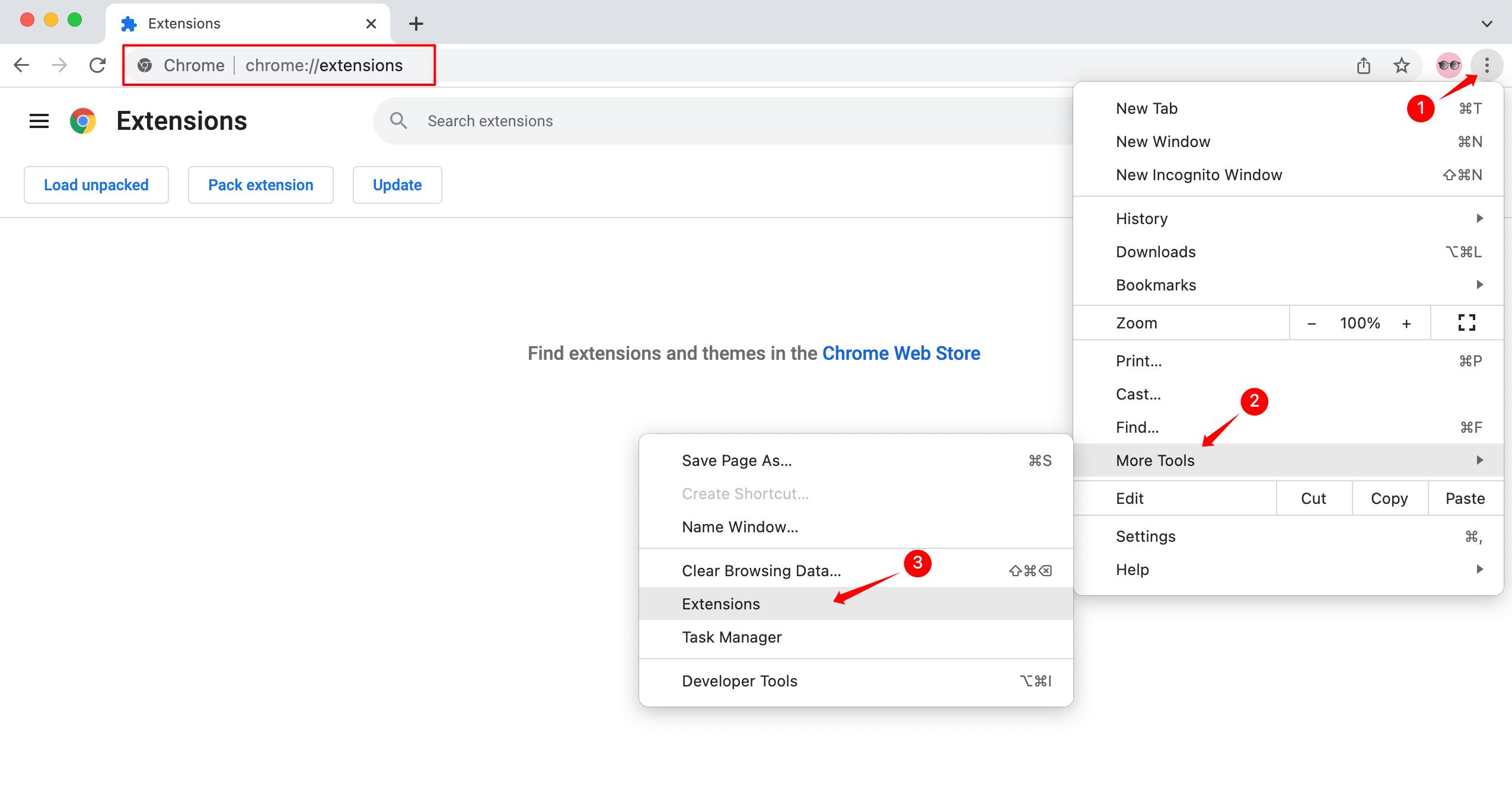
3. In chrome, visit chrome://extensions

install LinkedIn Repost Exporter step 1

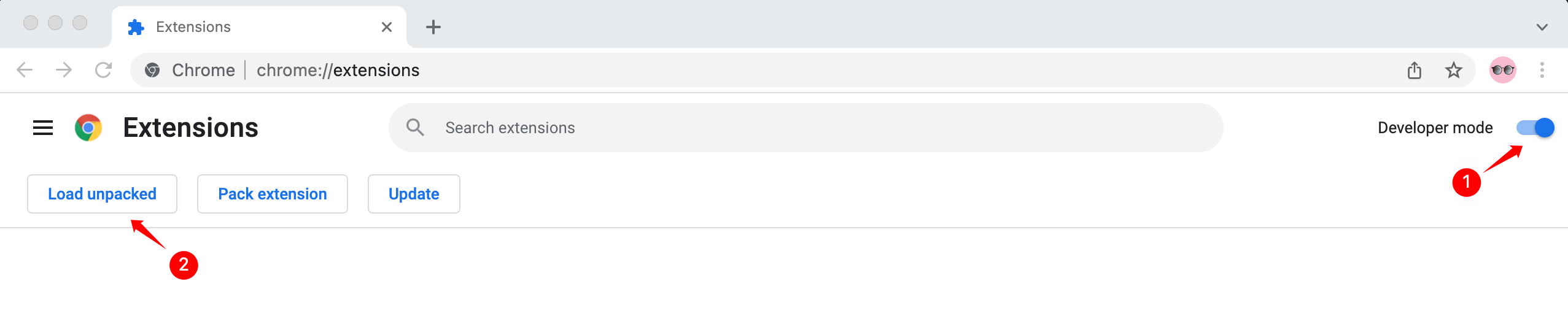
4. Enable Developer mode, click Load unpacked, and then select li-repost-export-v1.1.0.zip Folder

LinkedIn Repost Exporter chrome extension load unpacked

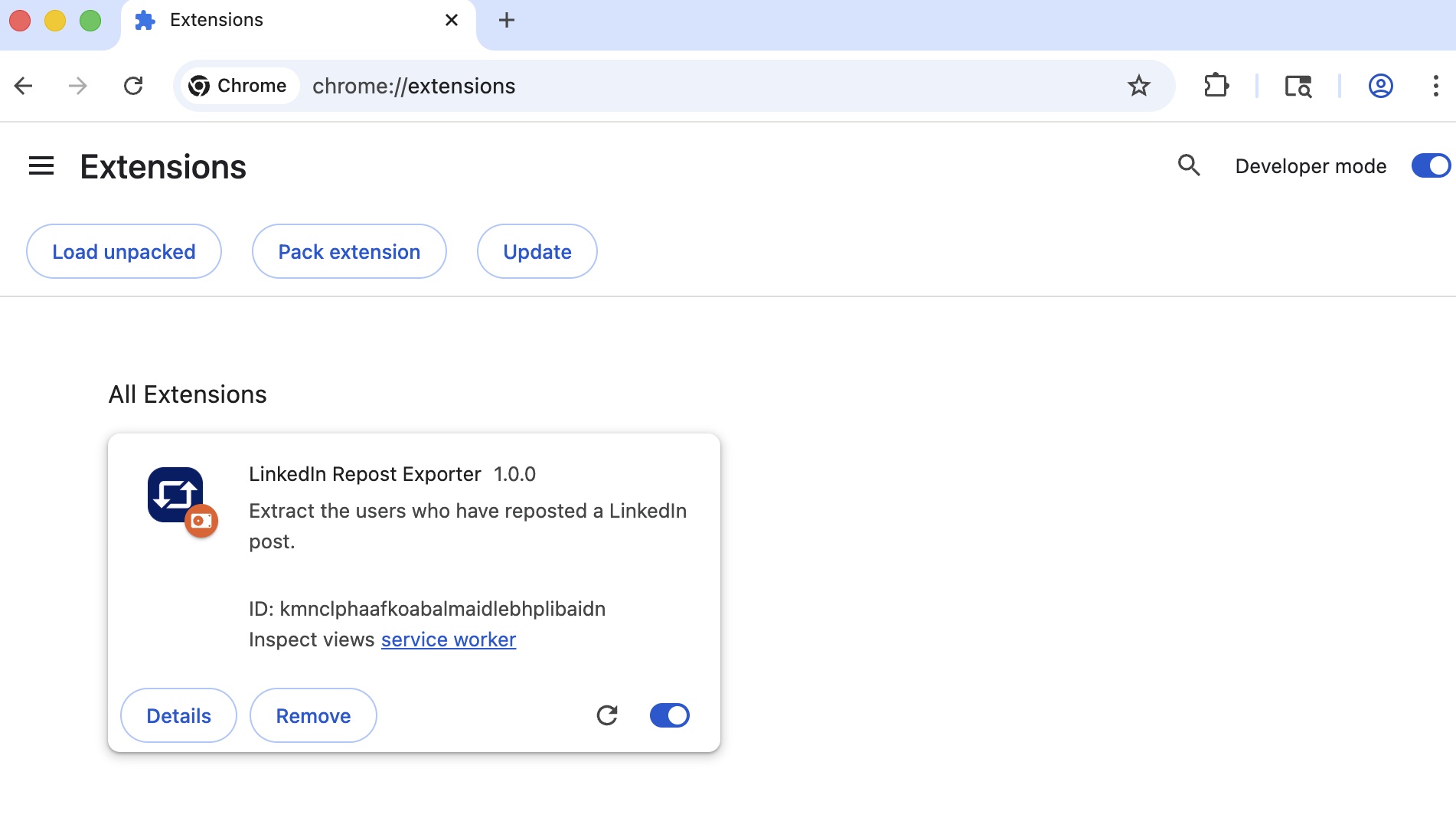
5. Done!

LinkedIn Repost Exporter chrome extension install done

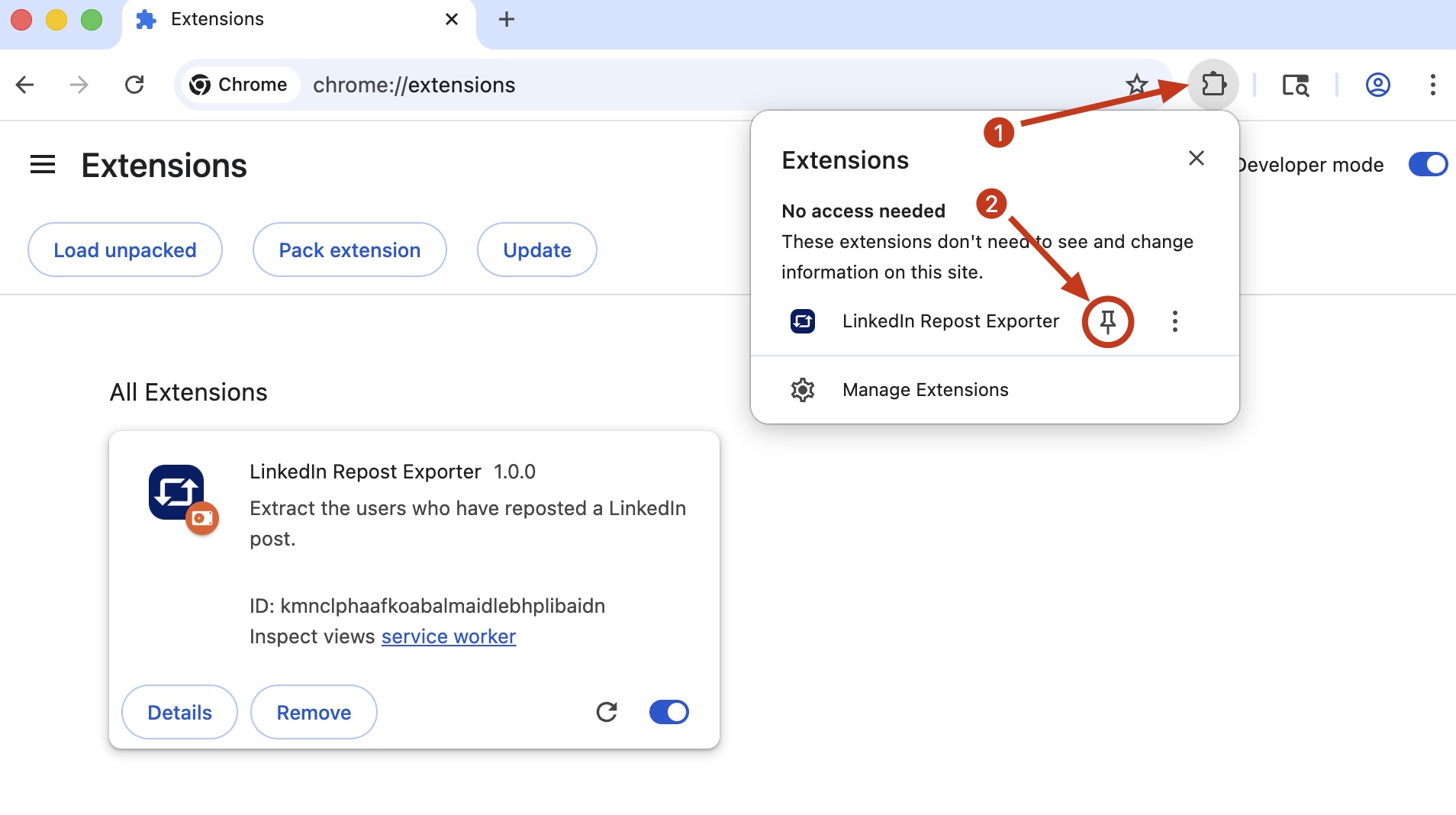
6. The extension is installed, and you are ready to go. For easy access to the extension, pin it and it will appear on the toolbar.

LinkedIn Repost Exporter chrome extension install pin

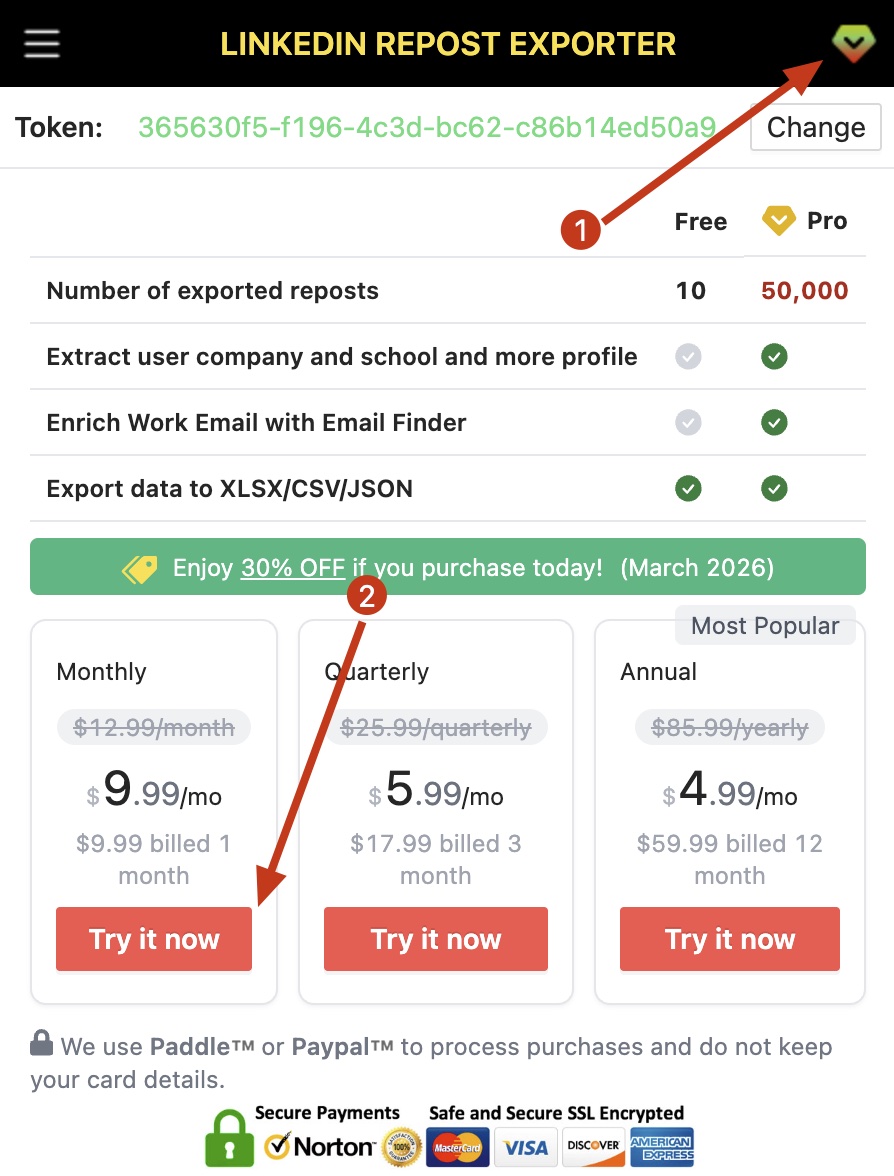
7. If you want to upgrade to a Pro account, click the Pro button and select the plan you wish to subscribe to.

LinkedIn Repost Exporter chrome extension subscribe pro

We will always keep updating our products. If you have any questions, you can contact us. help@niomaker.com